What Reels and YouTube do after you press upload.
Short explainers on export settings, HDR, codecs and loudness, measured rather than guessed. Plus the night Becheloon started.
The night the files didn't arrive
A two-minute clip, a 4.2 GB file, a four-hour upload bar and washed-out colours the next morning. How one bad night of uploading turned into Becheloon.
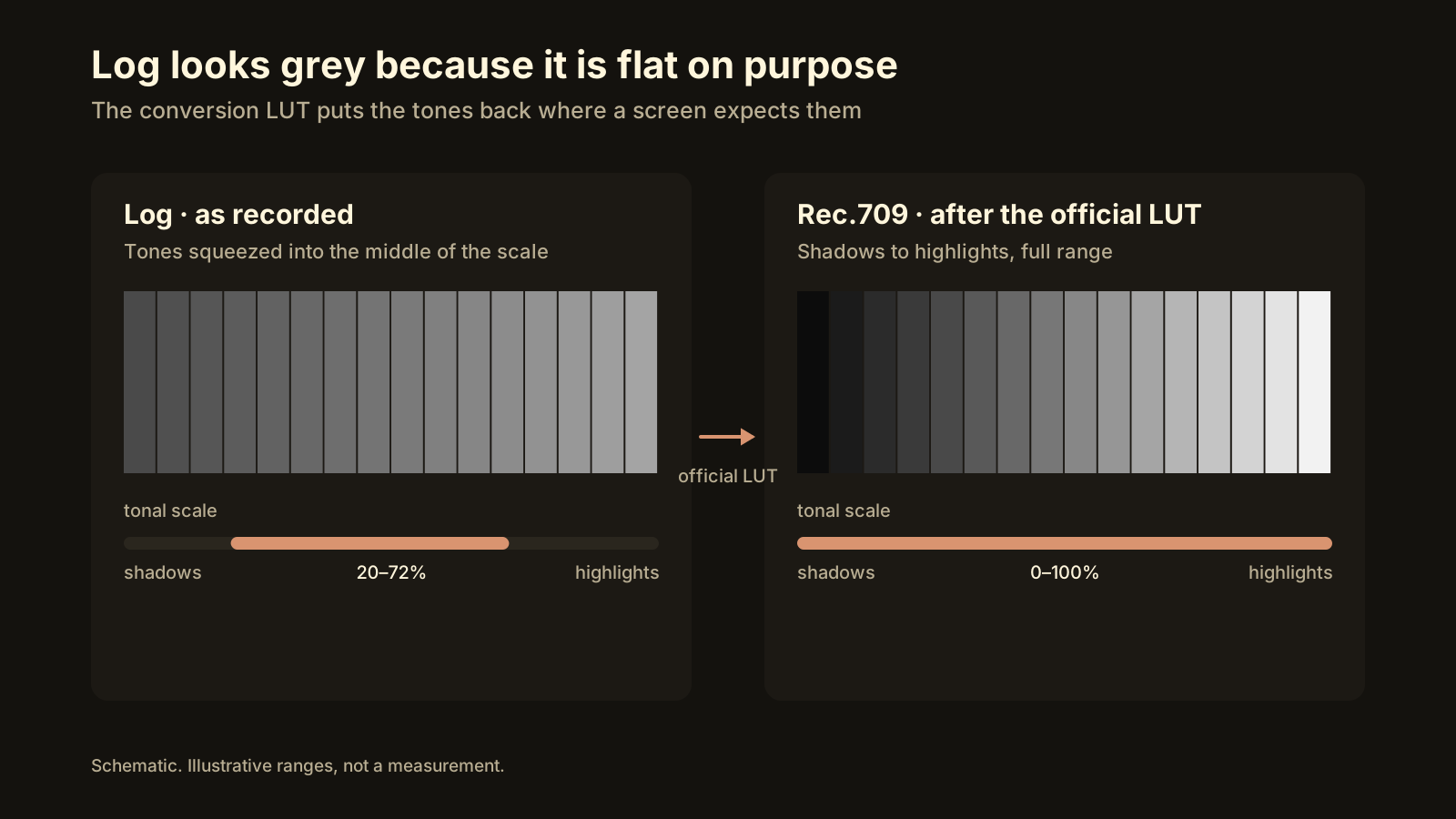
Apple Log and Samsung Log to Rec.709: the official LUT, in the right order
Log footage stays grey until converted. Apply the maker's Log to Rec.709 LUT first, grade after, export and measure; our Samsung Log test scored VMAF 94.96.
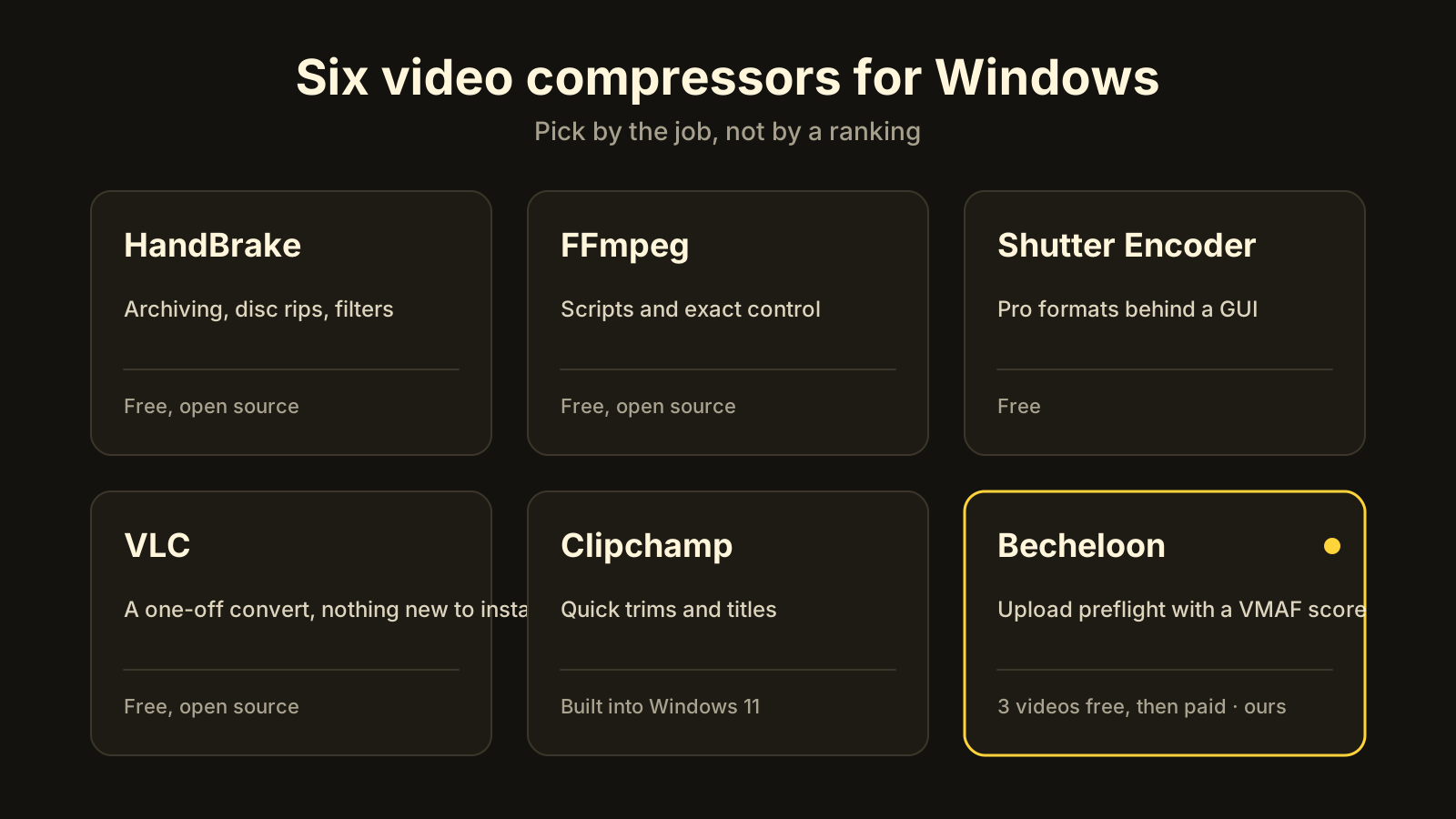
The best video compressor for Windows depends on the job: six tools, honestly compared
Six no-watermark video compressors for Windows: HandBrake, FFmpeg, Shutter Encoder, VLC, Clipchamp and Becheloon. Who each one is best for, and where it stops.
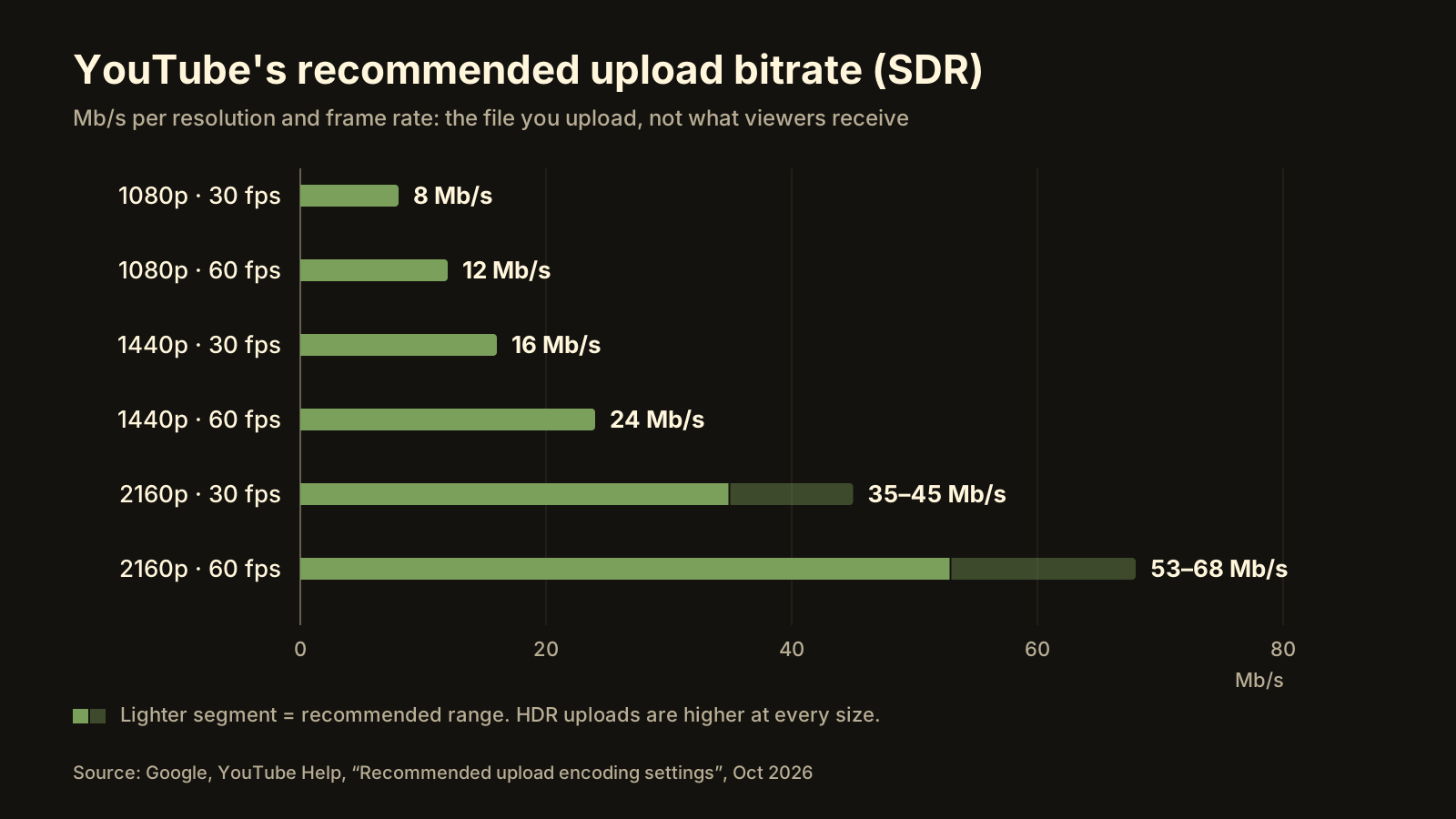
How to compress 4K video for YouTube: keep 4K or go 1080p?
YouTube wants 35–45 Mb/s for 4K at 30 fps, so a 10-minute clip is about 3 GB; at 1080p it is 750 MB. When 4K is worth the upload, when 1080p is fine, and the steps.
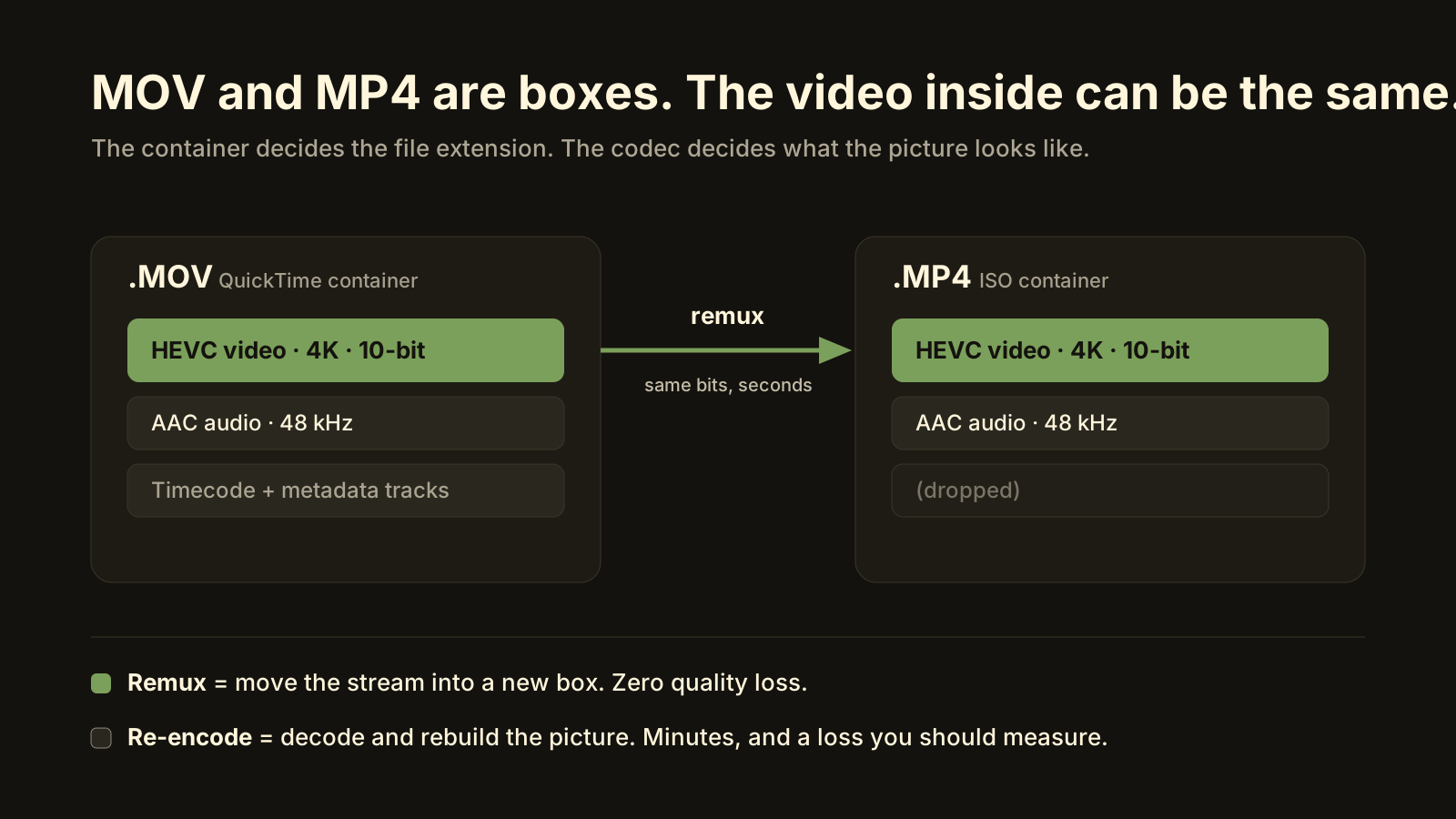
Convert MOV to MP4 on Windows without losing quality
An iPhone MOV usually converts to MP4 with zero quality loss: the video inside stays the same and only the container changes. When to remux, when to re-encode.
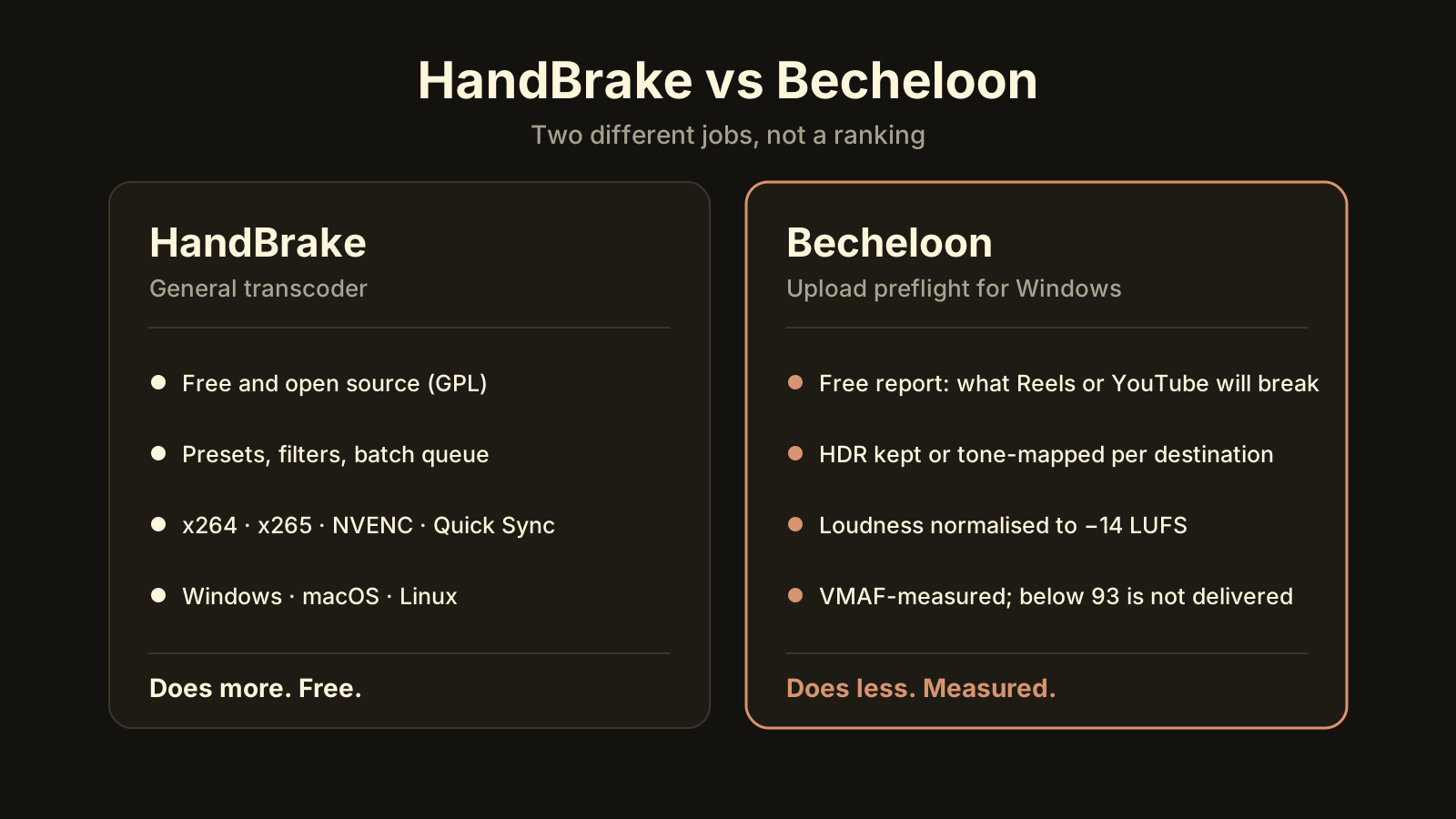
HandBrake alternative for Windows: when you need a quality check, not another encoder
HandBrake is a good free transcoder, but it won't say what Reels will break, pick the HDR path or measure quality. Who should keep it, who needs a VMAF check.
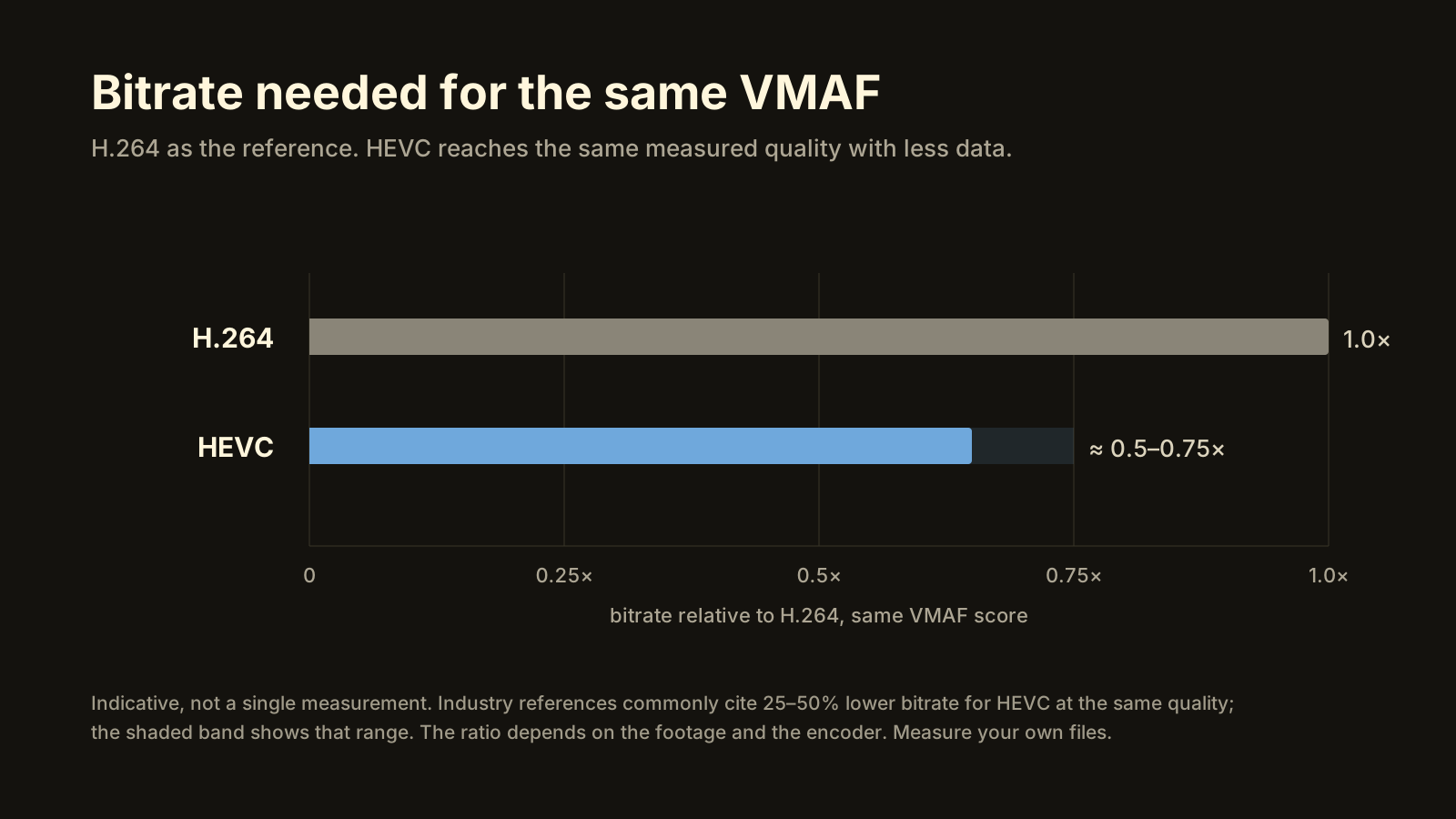
HEVC vs H.264: which should you upload in 2026?
HEVC needs less bitrate for the same quality and carries 10-bit HDR; H.264 plays on everything. Which to upload to YouTube, Instagram and TikTok, and where AV1 fits.
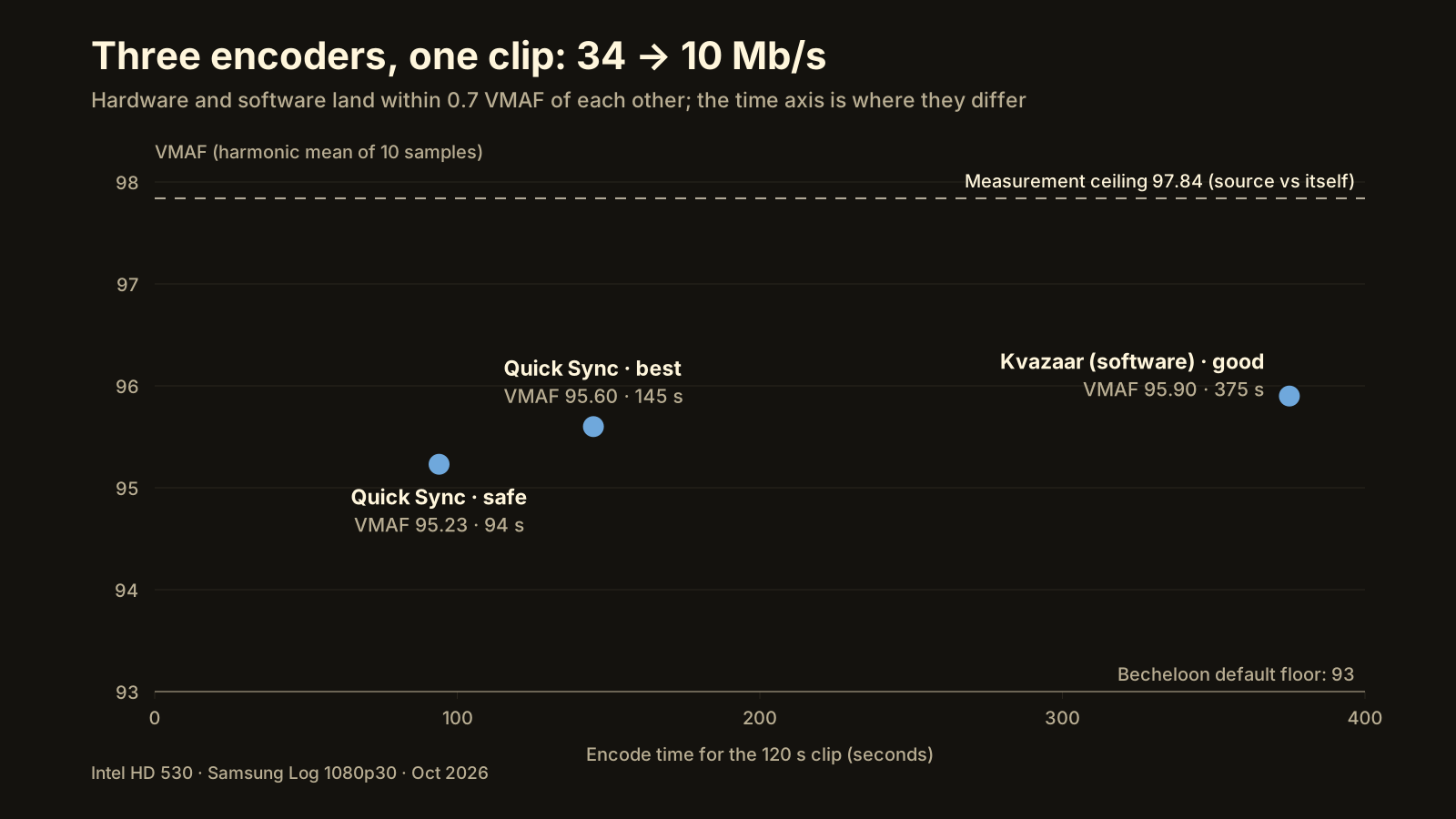
NVENC vs Quick Sync vs software encoding: what the quality gap actually measures
On one laptop and one 1080p clip at 10 Mb/s, Quick Sync scored VMAF 95.60 in 145 s and software Kvazaar 95.90 in 375 s. When the GPU encoder is enough.
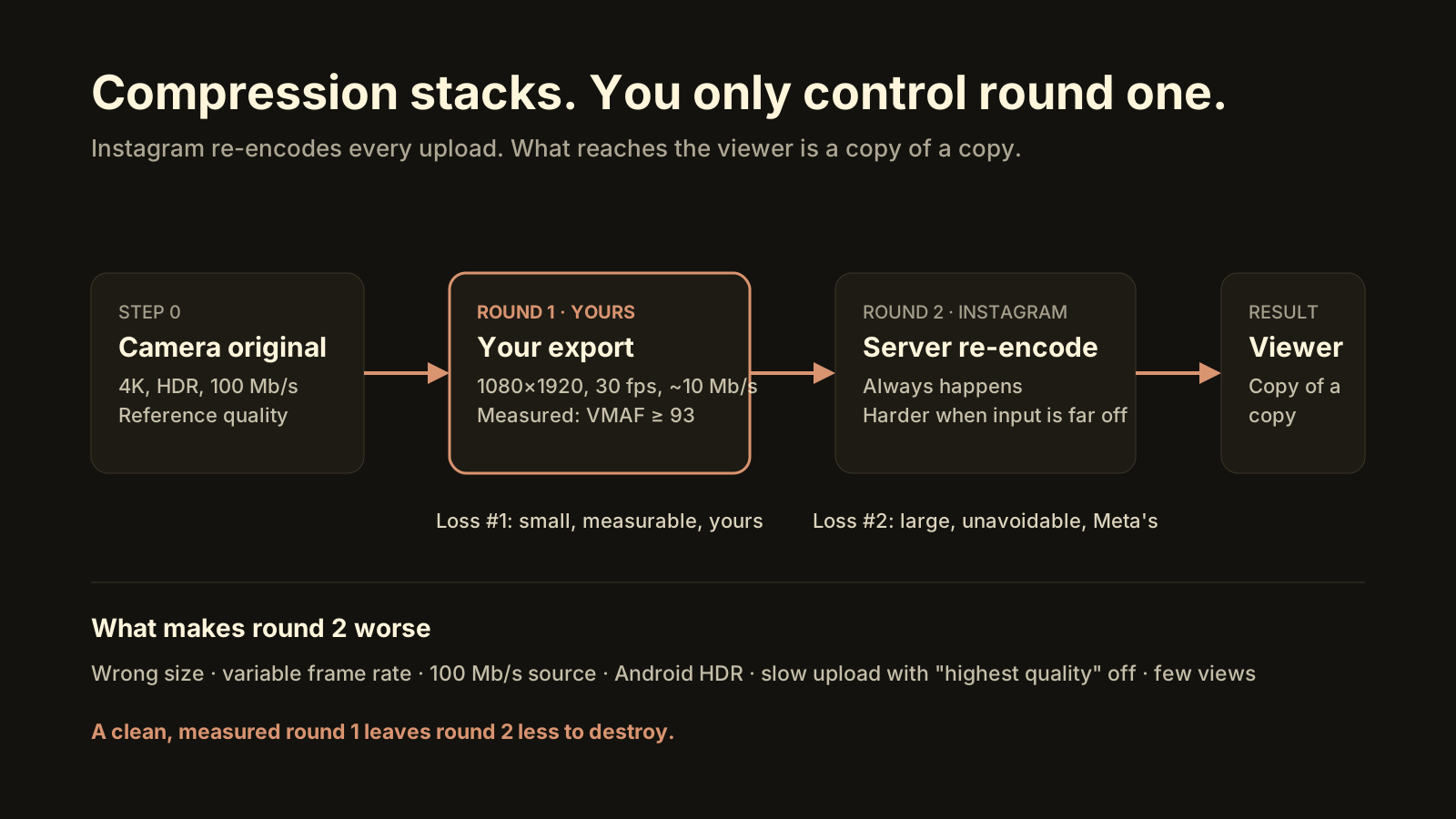
Why Instagram ruins video quality (and what you can do about it)
Instagram re-encodes every video and compresses harder when the file is far from 1080×1920 at 30 fps or the upload is slow. How to lose less in the process.
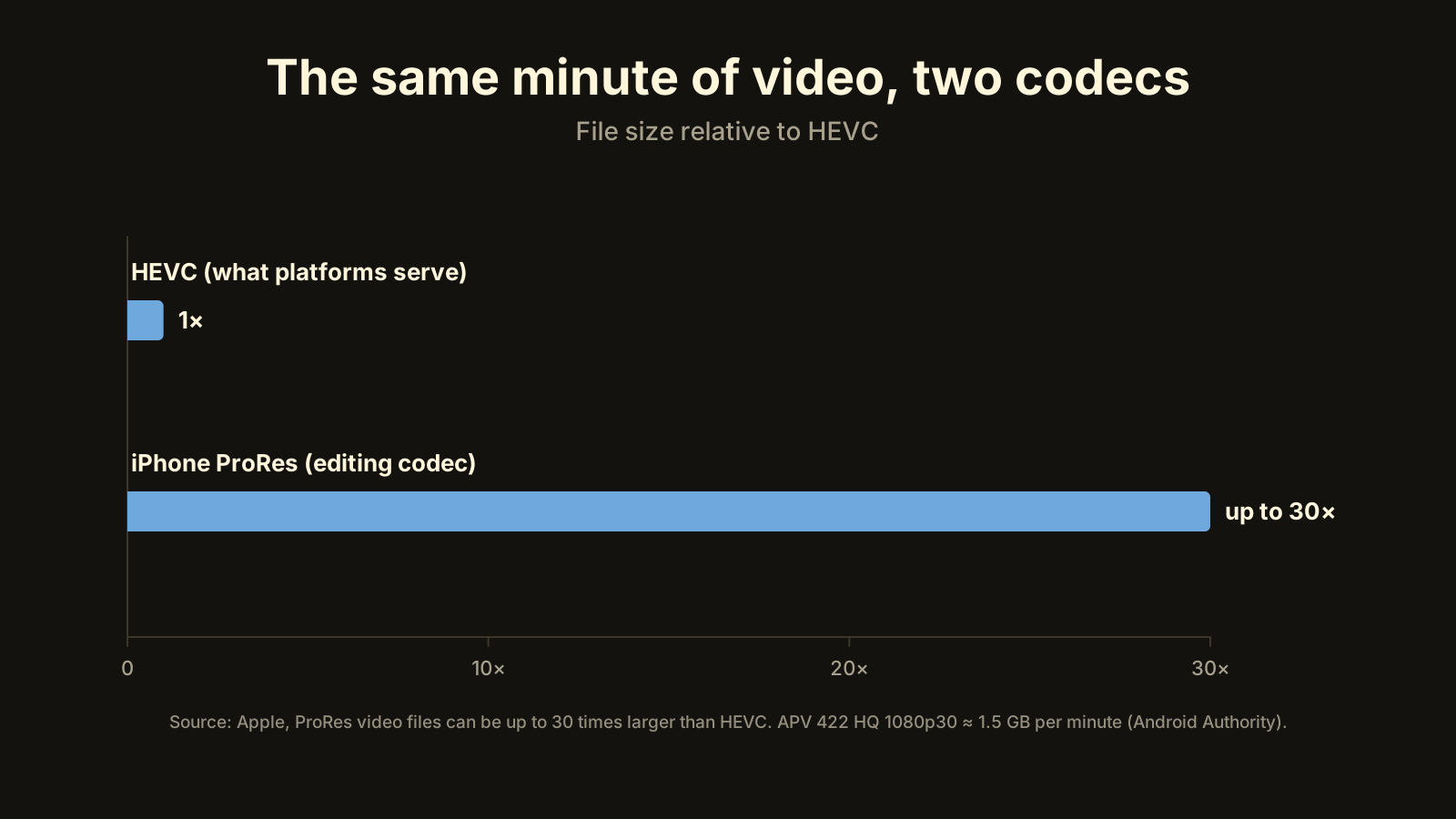
Why iPhone ProRes and Galaxy APV files are so huge
ProRes and APV store every frame in full so editors can cut anywhere. Apple says ProRes runs up to 30× HEVC. Keep the master, upload a measured HEVC copy.
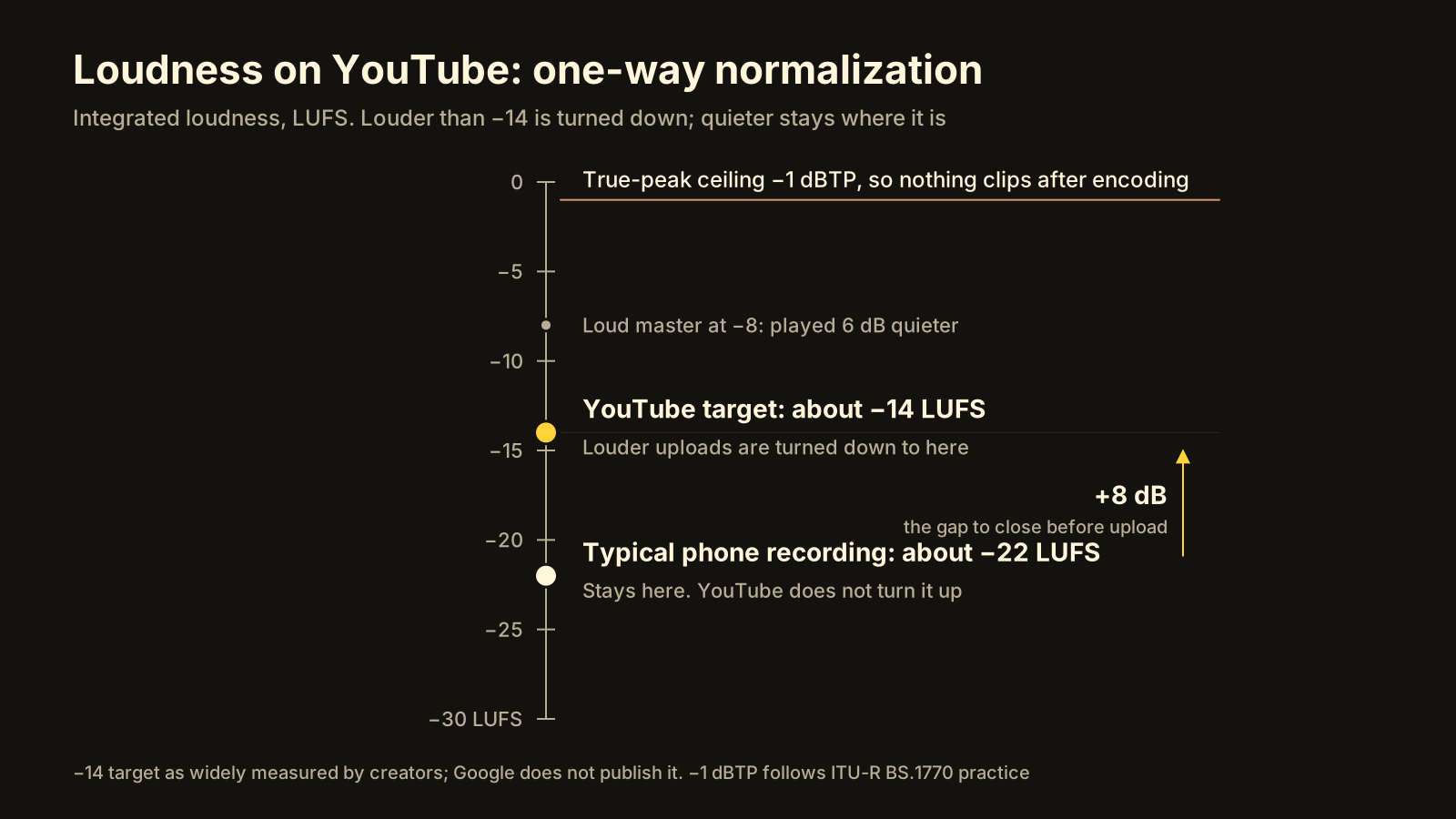
YouTube audio too quiet? Normalize to −14 LUFS before upload
YouTube turns loud videos down to about −14 LUFS but leaves quiet ones alone, so a −22 LUFS phone clip stays 8 dB behind. How to measure and fix it.
How to compress a video without losing quality
Compress a video without visible quality loss: choose the codec, bitrate and resolution, then check it with VMAF. The steps, target numbers, and when not to.
Best Instagram Reels export settings (that survive the upload)
Export Reels at 1080×1920, the frame rate you shot, H.264 or HEVC at 8–12 Mbps and SDR colour. Why each setting matters, plus the one toggle most people miss.
YouTube upload settings, and why your video sounds quieter
YouTube's recommended bitrates for 1080p, 1440p and 4K, the codec and audio settings it expects, and why quiet videos stay quiet next to loud ones (−14 LUFS).
Video too large to send? How to make it smaller and upload faster
Email caps attachments around 25 MB, and WhatsApp and Telegram squash videos sent as media. How to reduce a video's file size so it sends and uploads fast.
Why your Reel looks washed out
Washed-out Reels are almost always HDR or Log footage read as normal video. Who it still affects, how to turn HDR off, and how to fix clips you already shot.
Smaller, but how much worse? What VMAF tells you
VMAF is Netflix's open-source video quality metric, scored 0 to 100. What the numbers mean, what score to aim for when you compress, and where VMAF falls short.
The 4 GB problem: ProRes, Log and APV are for editing, not uploading
ProRes, Log and APV files are huge because they're built for editing. Why YouTube and Instagram discard most of that data, and what to upload instead.